

Open a conversation
Click the chat button in the bottom-right corner of your portal, then open a conversation.See who is on the thread
The chat header shows who else from your side is in the conversation, for example You, Sam Lee and 1 other. Messages from other people on your side show their own name and avatar.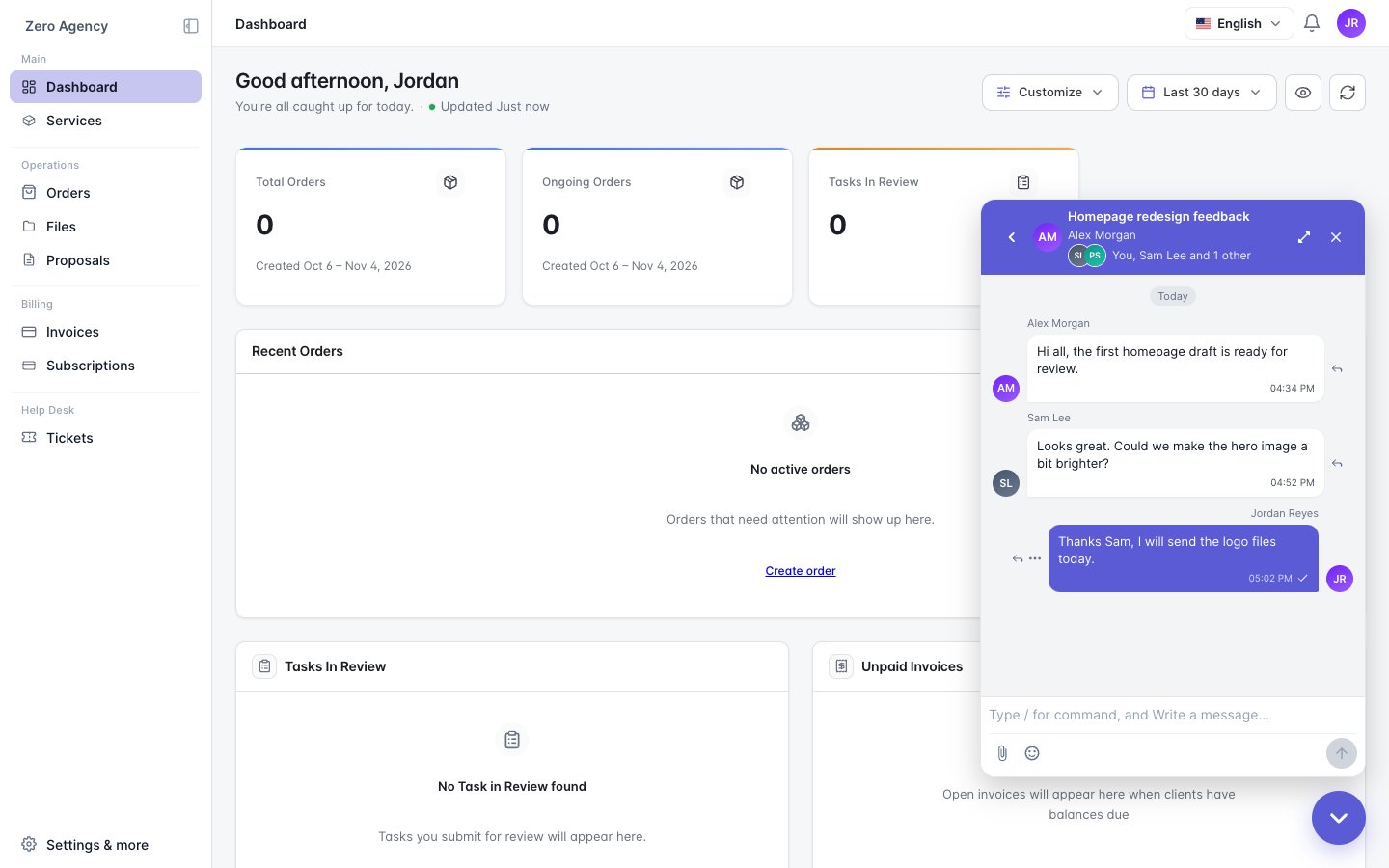
Reply in the portal or by email
You get each new message by email. You can reply in two ways:- Reply in the portal chat.
- Reply to the email. Your reply appears in the same conversation, under your name.
Good to know
- You only see the conversations you’re on.
- Other people on the thread can’t see your email address, and you can’t see theirs.
- Only your agency can add or remove people. If you’re removed from a conversation, you lose access to it right away.
- Everyone on your side shares one unread count. A message read by a colleague may no longer show as unread for you.